Sign-in
- Tap [Sign in] (a) or [Sign in] (b) to display the Sign in screen.
※If you have a wireless LAN router, tap [Sign in] (a).
※If you do not have a wireless LAN router, tap [Sign in] (b).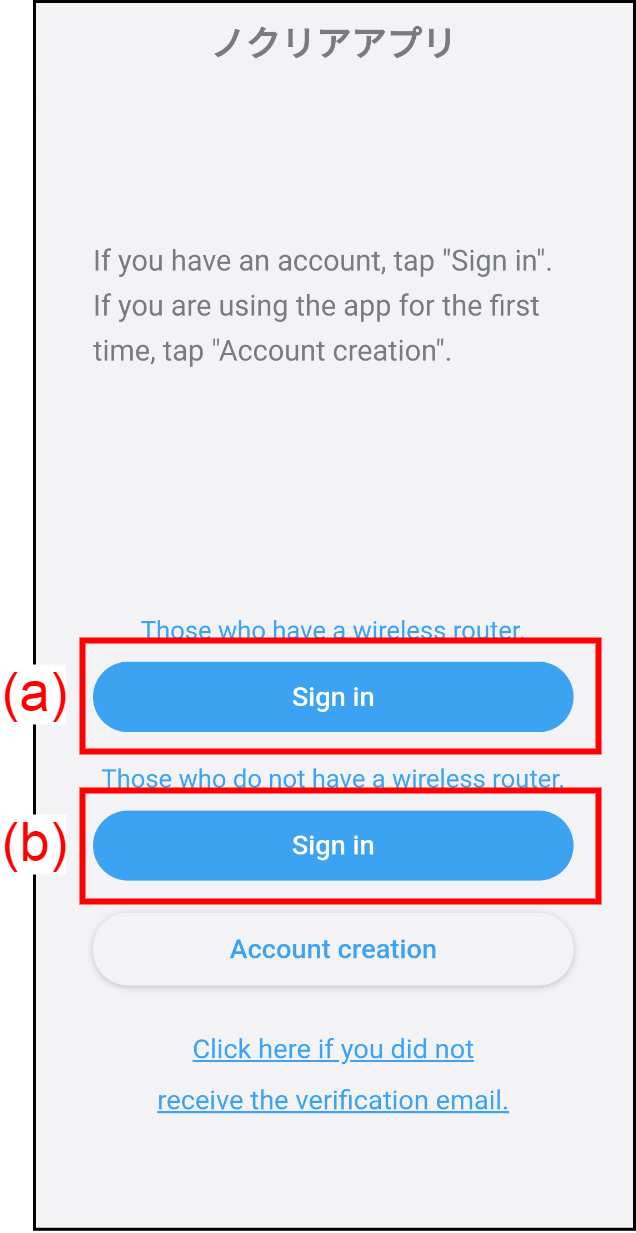
- Enter the registered e-mail address (c) and the password (d).
Tap [Sign in] (e) and sign into the nocria app.
* If you do not have a wireless LAN router, use the direct control mode. For details, refer to “Direct Control Mode”.NOTE
・Do not sign in to a single account from multiple smartphones at the same time.
・If the nocria app is not used for 30 days, you will be automatically signed out. Follow the instructions on the screen to sign in again.
※ You will be automatically signed out after one year from the initial sign-in, even if you use the nocria app regularly.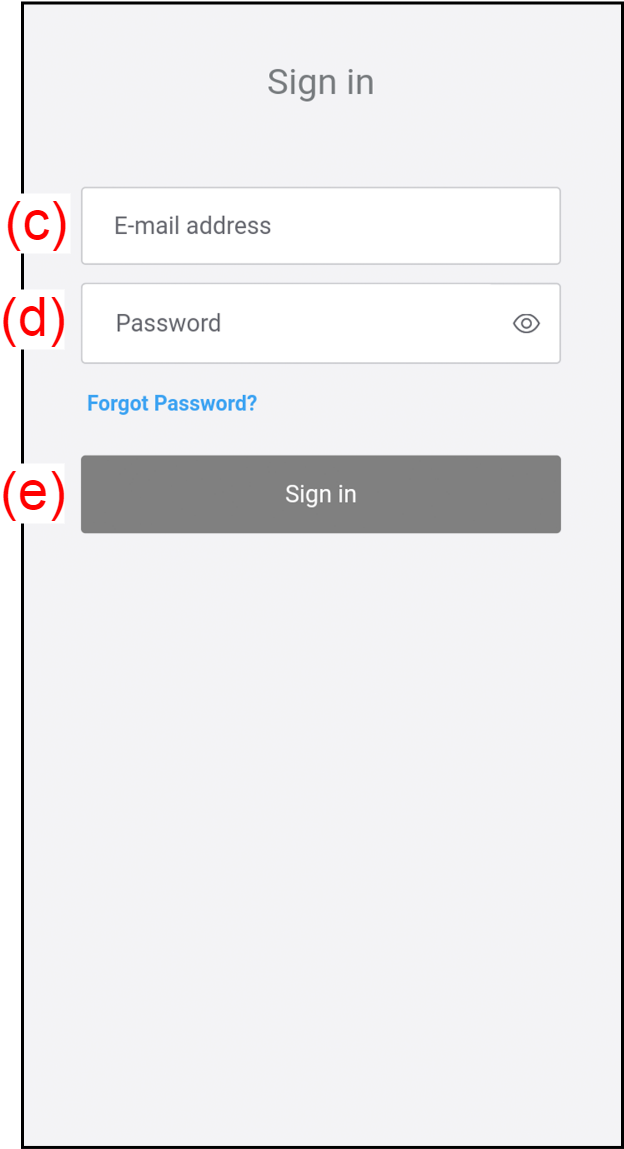
If you forgot the password, see "When you forgot the password”.