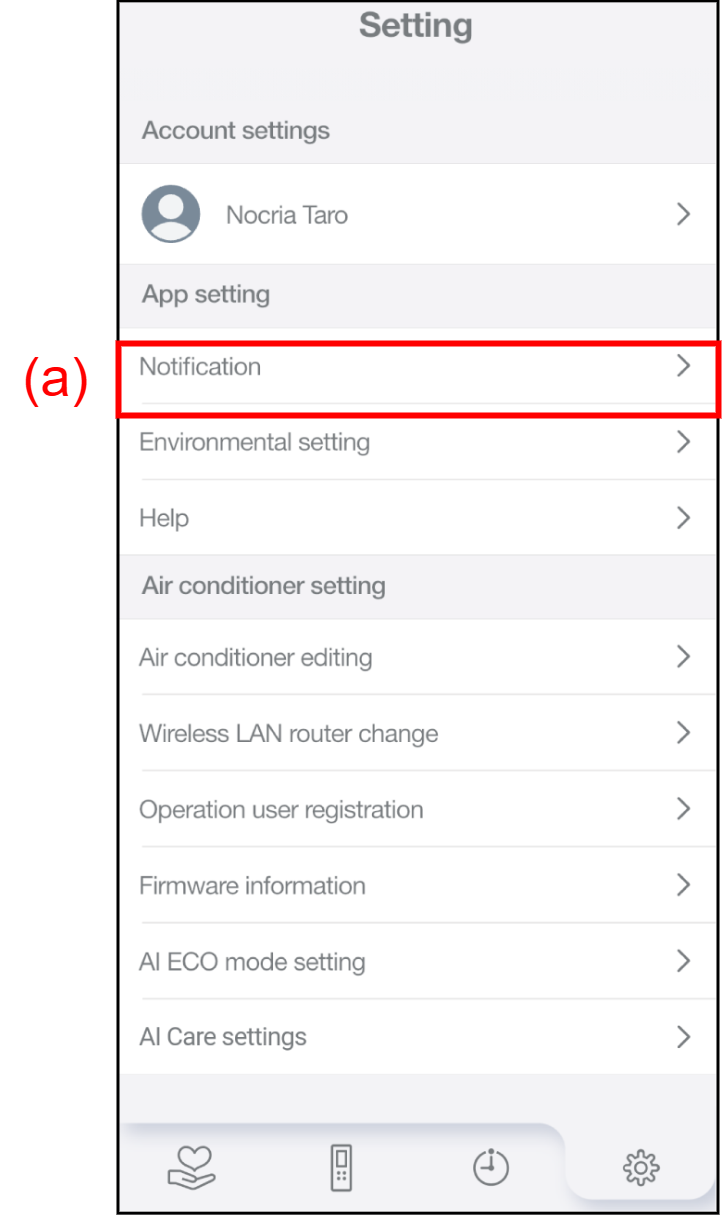
Notification
The push notifications on/off can be set, and the history of received notifications can be checked.
NOTES |
|
Tap (a) to display the Notification screen.
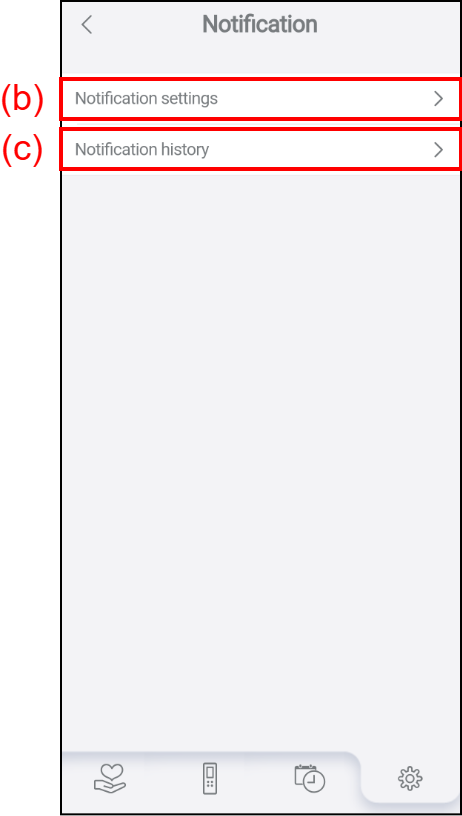
Tap (b) to change the push Notification settings.
Tap (c) to check the Notification history.
Notification settings
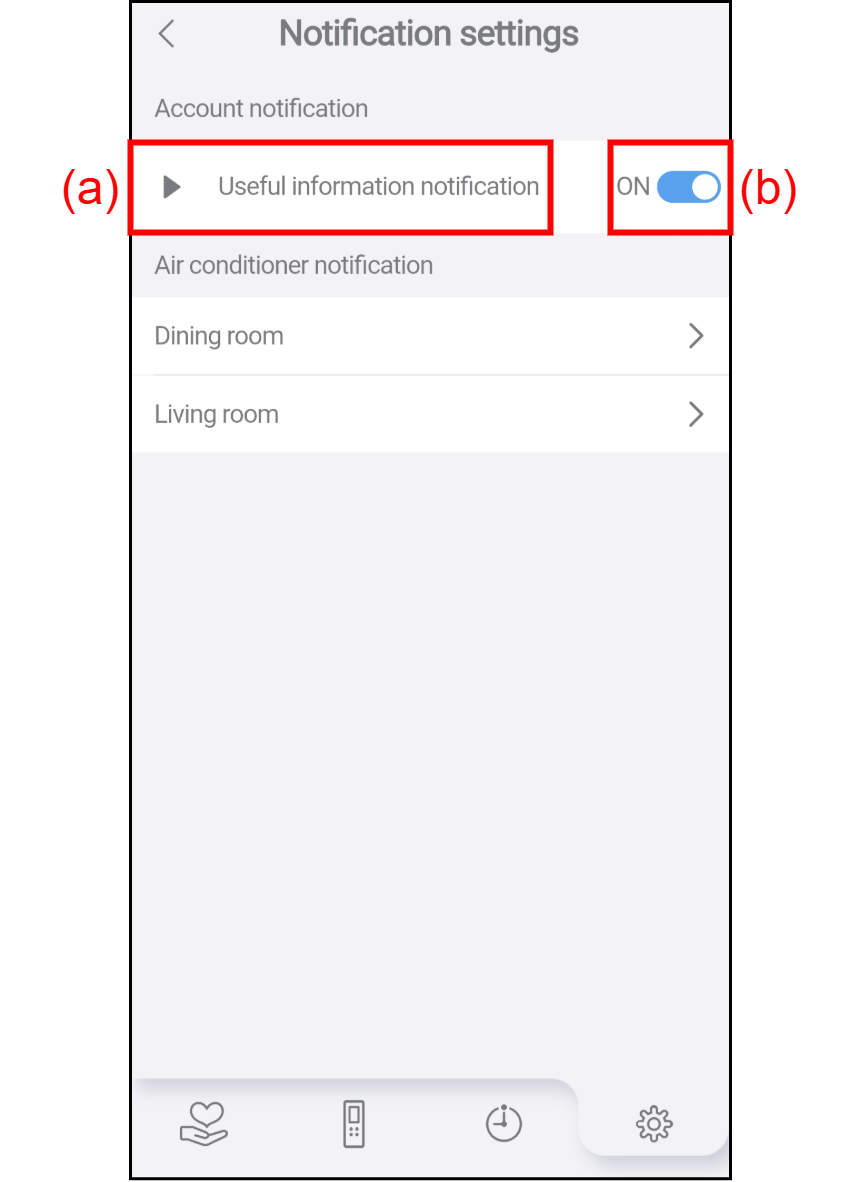
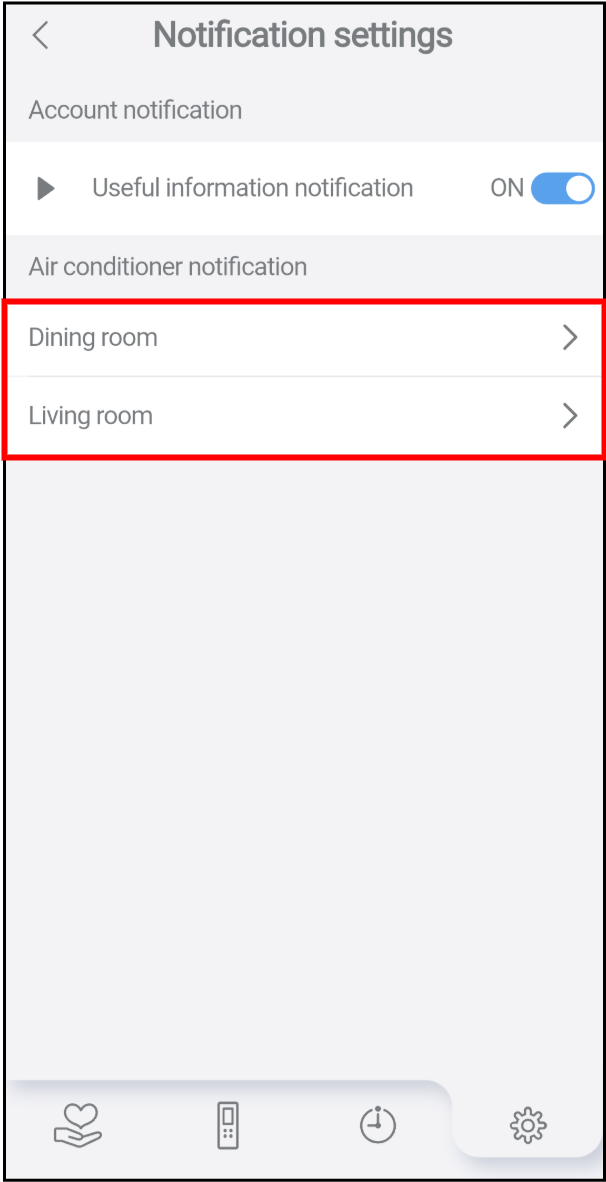
Two types of notification categories are displayed. Select a notification category to be set, and set the notification to ON/OFF.
Account notification
Useful information notification delivered to the account can be set to ON/OFF.
Tap (a) to display the details for the notification.
Tap (b) to switch the push notification between ON and OFF. When a push notification is required, turn it ON, when it is not required, turn it OFF.
Air conditioner notification
The notification delivered from the air conditioner can be set to ON/OFF.
- On the air conditioner list, tap the air conditioner to be set to display the Notification settings screen.
- Tap (a) to display the details for each notification.
Tap (b) to switch the push notification between ON and OFF. When a push notification is required, turn it ON, when it is not required, turn it OFF.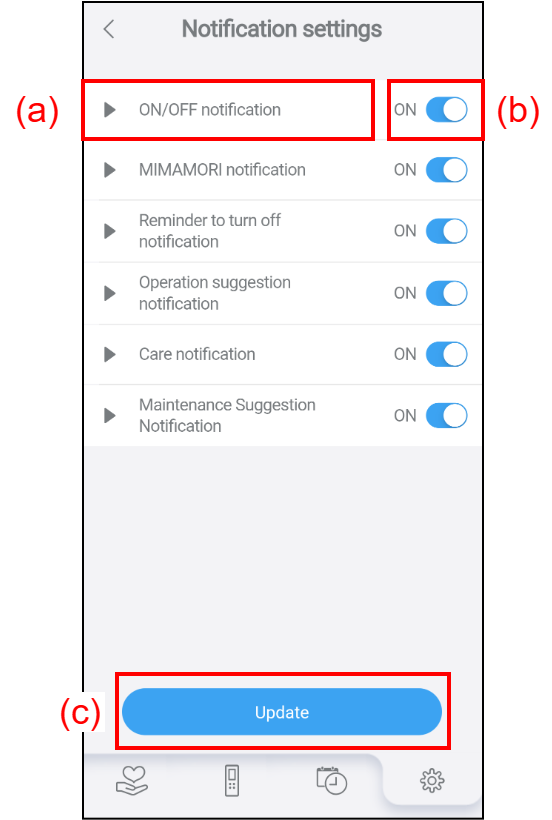
- Tap [Update] (c) to apply the changed information and complete the setting.
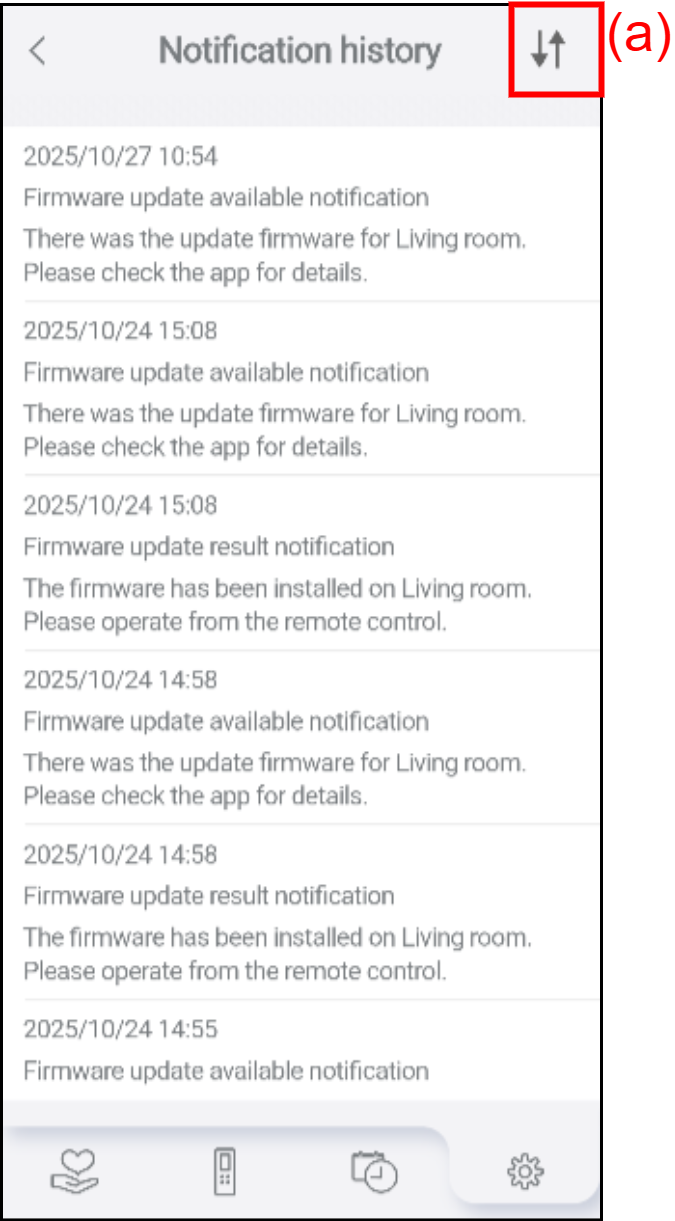
Notification history
The history of notifications from the nocria app can be checked in the order of the latest first.
Tap (a) to switch the display order.