Environmental setting
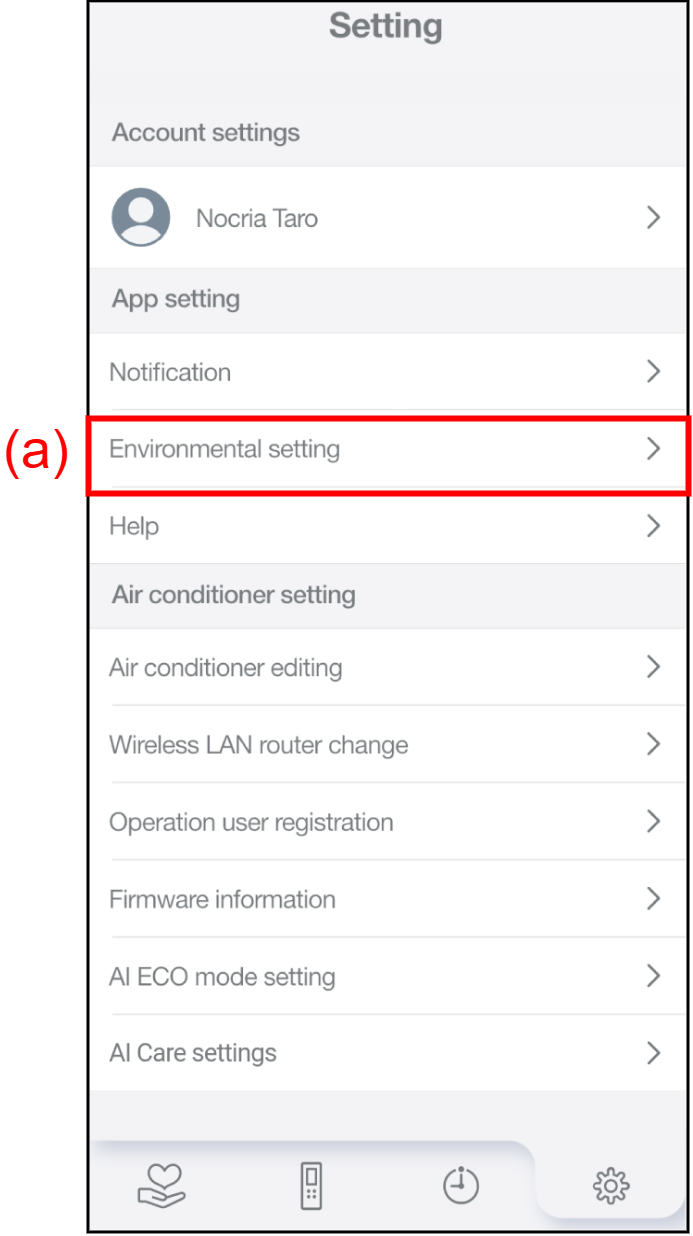
Tap (a) to display the Environmental setting screen.
The following items can be checked.
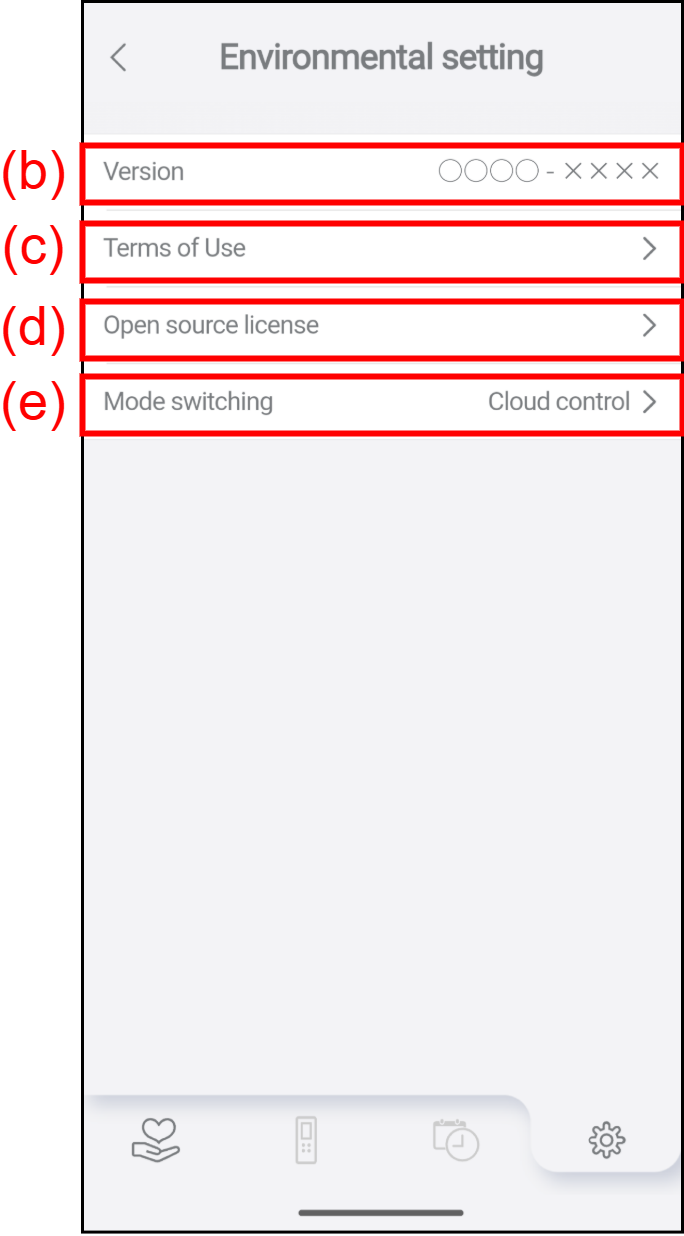
| (b) | Version | The Version of the nocria app can be checked. |
| (c) | Terms of Use | The Terms of Use can be checked by tapping this. |
| (d) | Open source license | The Open source license used in the nocria app can be checked by tapping this. |
| (e) | Mode switching | The Mode switching screen is displayed by tapping this, and the Cloud control mode and the Direct control mode can be switched. |