Activate Edge Supervisor
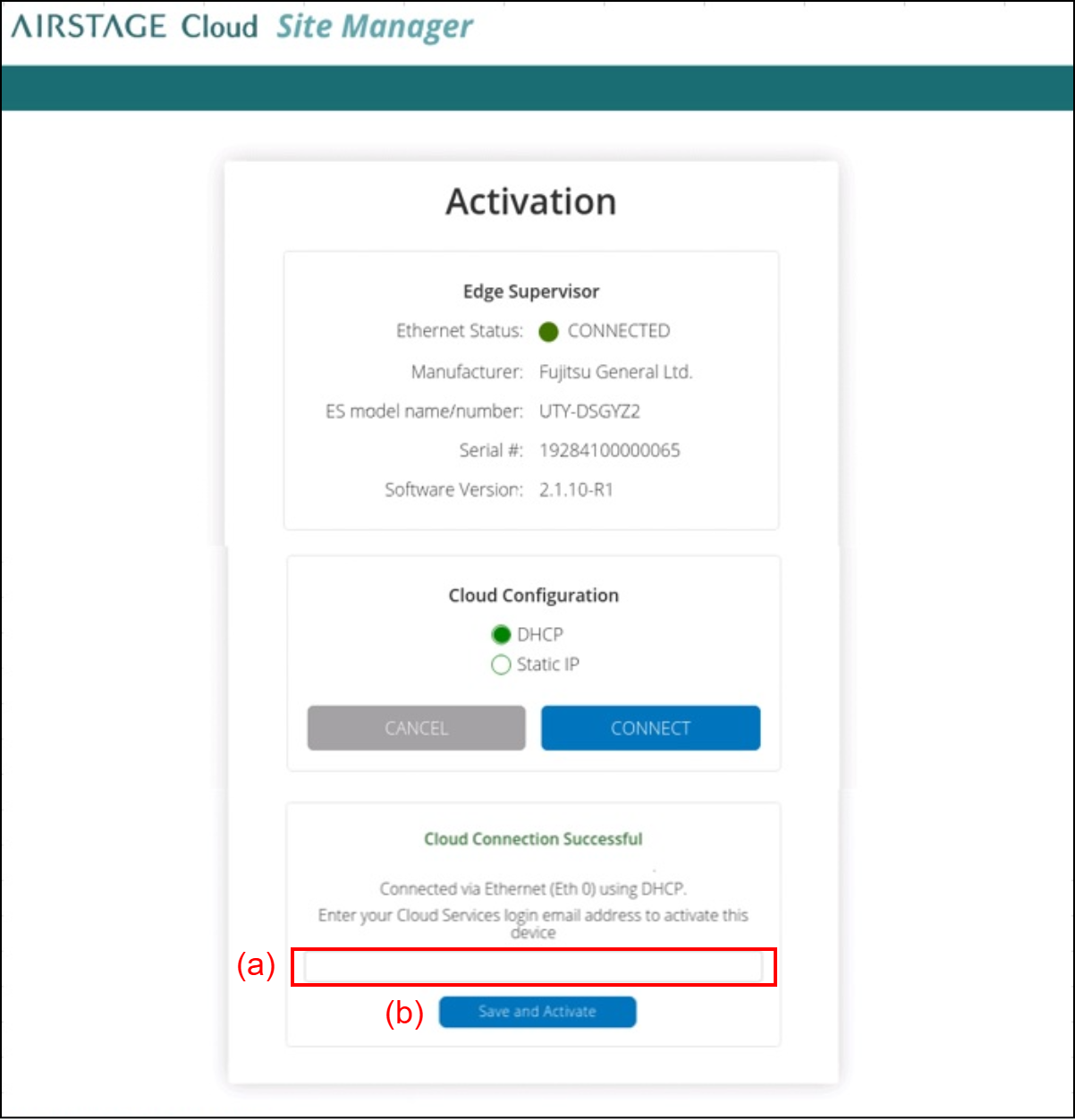
Confirm that the test connection succeeded, then enter your e-mail address to (a).
This e-mail address must be registered as an AIRSTAGE Cloud account and have Administrator or Technician authority.Tap the button (b).
The confirmation message appears.Read the confirmation message and select [OK].
The Edge Supervisor reboots and be activated.
The "Activation Successful" message will appear.
Perform the subsequent settings from AIRSTAGE Cloud following “Log in to AIRSTAGE Cloud“.