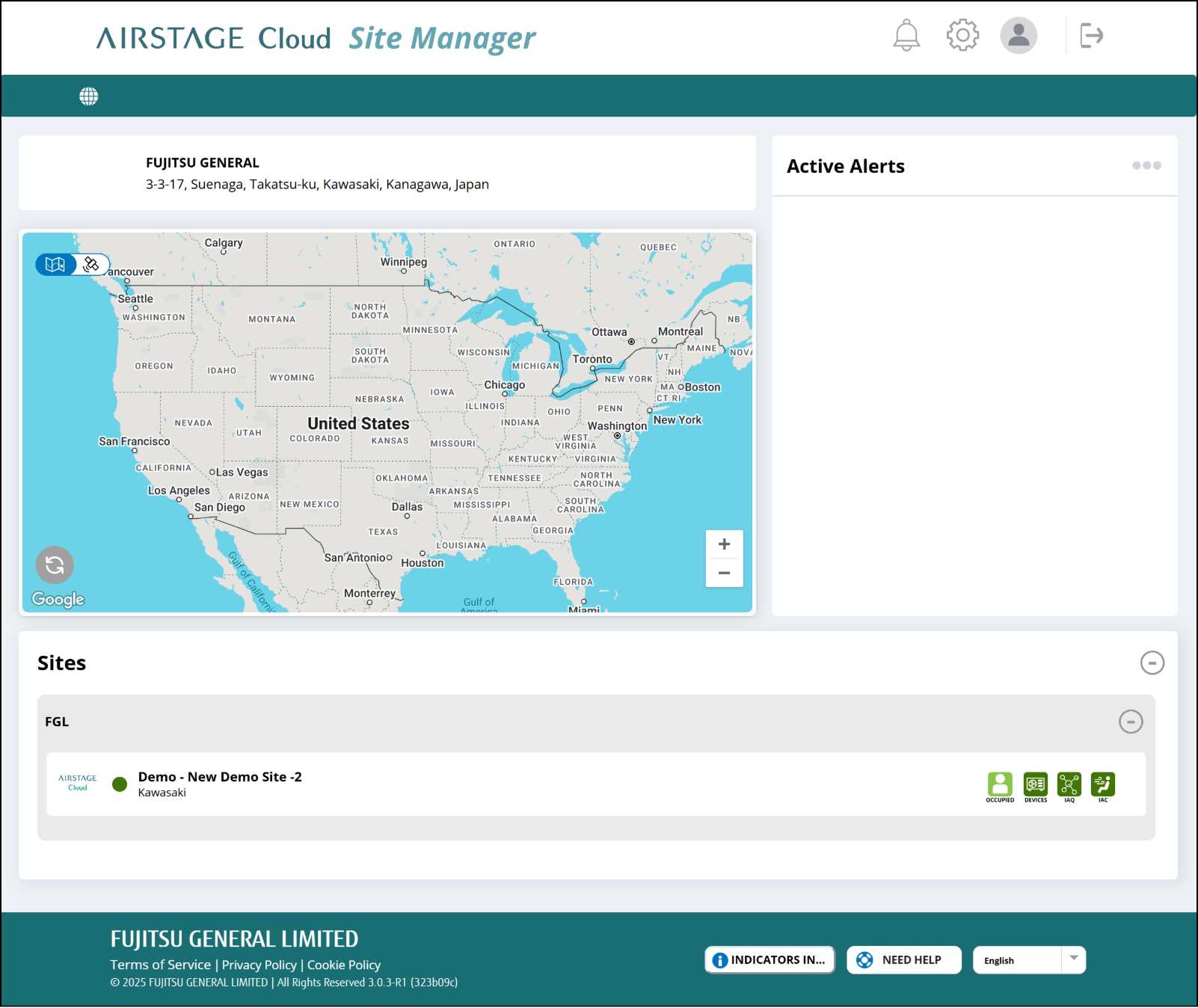
Log In
Enter the setting e-mail address and password.
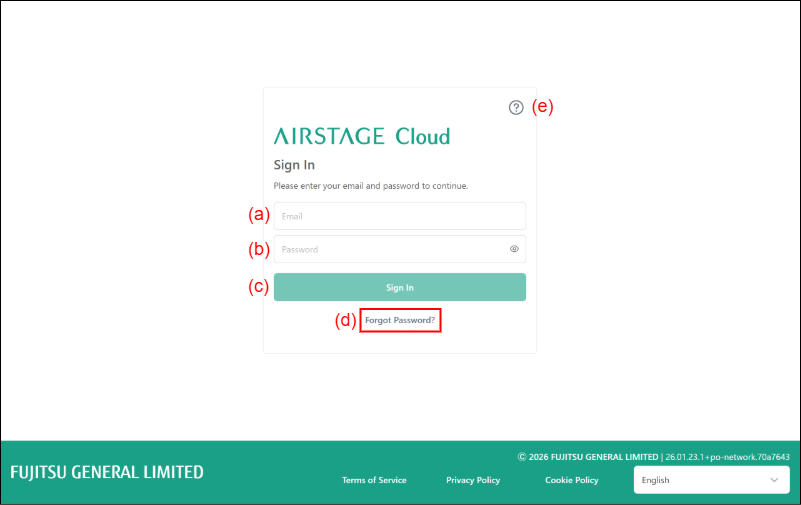
(a) Enter the e-mail address.
(b) Enter the password.
(c) [Sign In] button
Sign in to the AIRSTAGE Cloud.
(d) [FORGOT PASSWORD] button
Displays the e-mail address entry screen. The e-mail for resetting the password is sent to the entered e-mail address.
(e) Open AIRSTAGE Cloud Customer Portal
If you use the Multifactor Authentication, the authentication code is sent to the smart device by SMS.
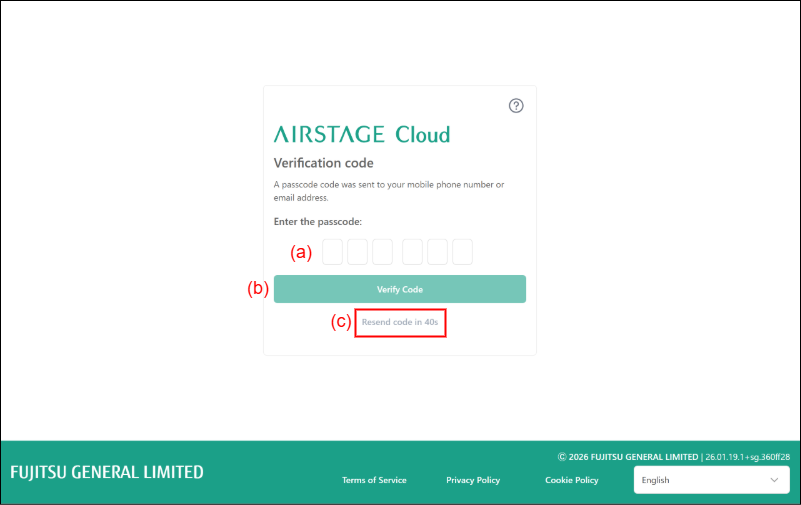
(a) Enter the Authentication code.
(b) [Verify Code] button
After entering the Authentication code, tap this button. Apphub screen is displayed.
(c) [Resend Code] button
If the verification code is not entered within 45 seconds, it will become selectable.
App hub screen is displayed.