Apphub
Apphub allows you to launch applications available in the AIRSTAGE Cloud.
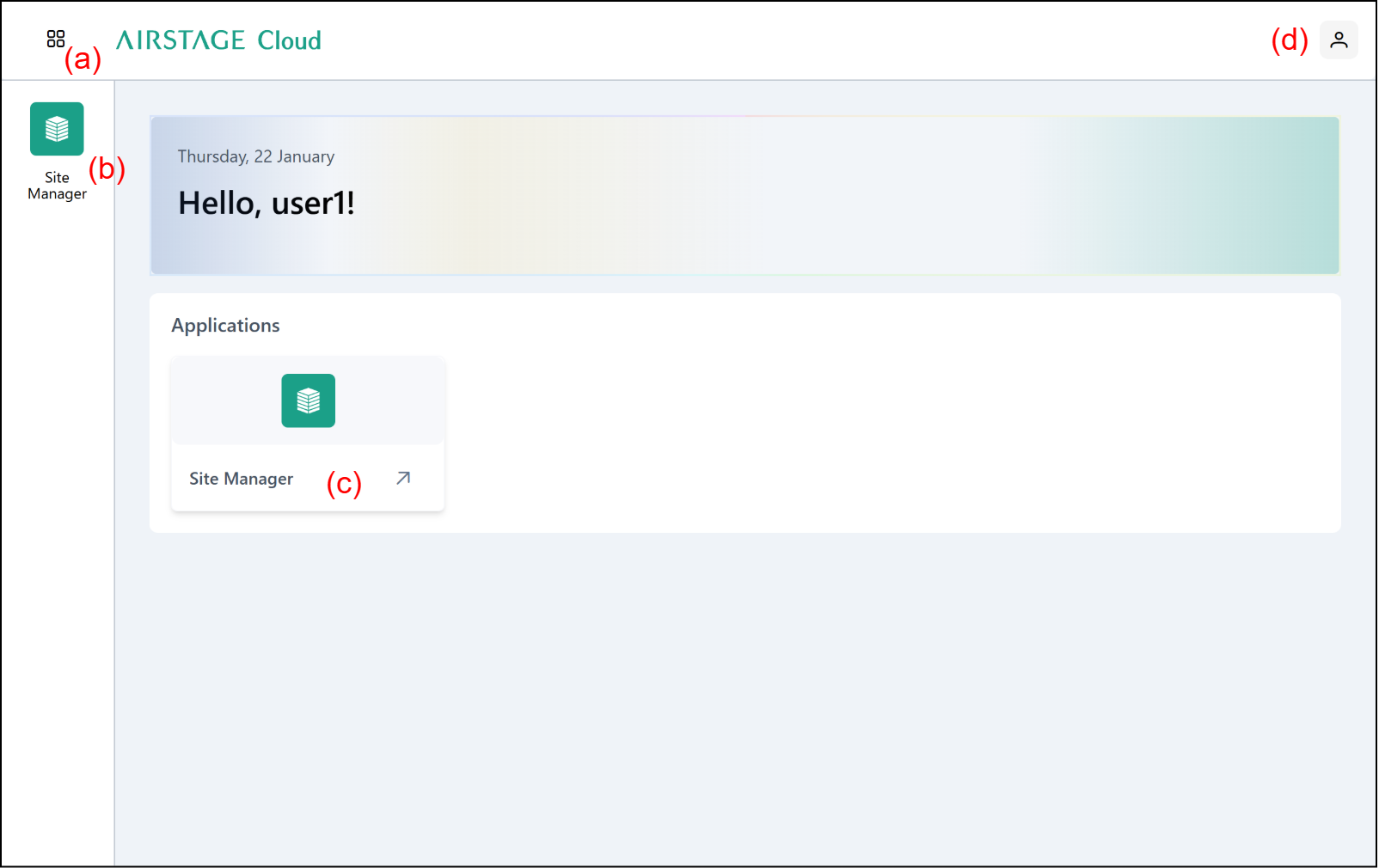
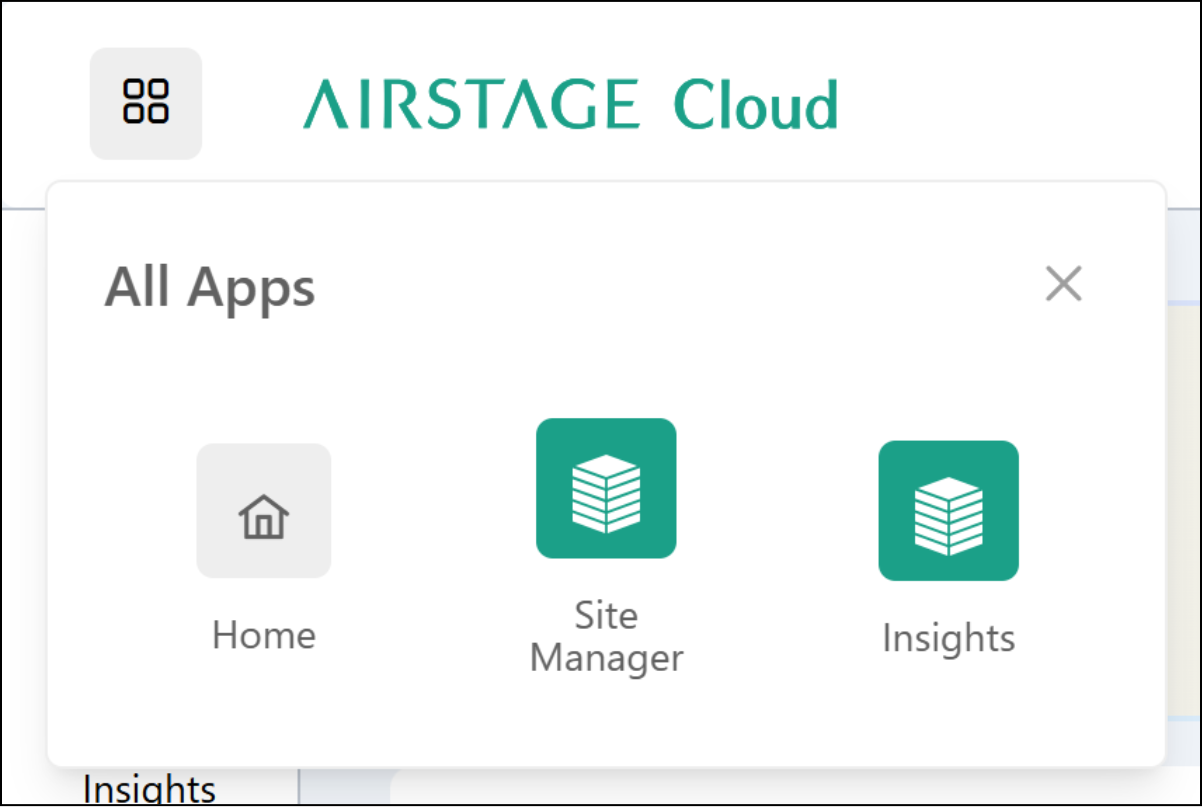
(a) Open the All Apps modal. Click on an available application in the modal to launch the application.
(b) Click on an available application to launch the application.
(c) Click on an available application to launch the application.
(d) Open the sidebar.
Sidebar
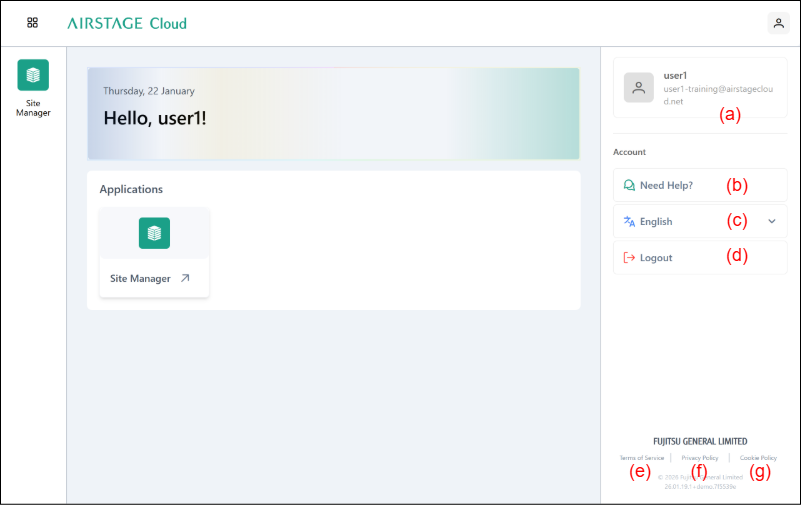
(a) The logged in user information is displayed.
(b) [Need Help] button
Click to display the AIRSTAGE Cloud Customer Portal.
(c) Language button
Click to select the language.
(d) [Logout] button
Click to log out of the AIRSTAGE Cloud.
(e) Click to display the Terms of Service.
(f) Click to display the Privacy Policy.
(g) Click to display the Cookie Policy.